
QR Code Generator
Turn any text or link into a downloadable QR code, PNG or SVG.
Written by SamundraLast updated
Link to a website
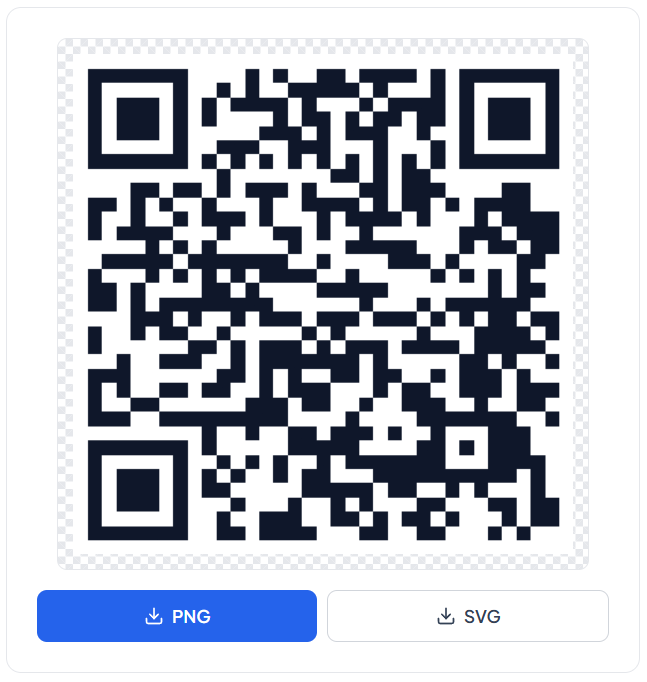
Your QR code will appear here
Fill in the fields on the left to generate one instantly.
Nothing is uploaded anywhere — this runs entirely on your device.

Introduction
QR Code Generator is a free online tool that generates QR codes. The tool converts text, URL's, contact details, Wi-Fi credentials, payment information, locations, email addresses into scannable code.
We can use mobile device or QR code reader to scan them. Scanning a QR code works instantly because they are highly responsive.
What is QR Code?
QR code stands for Quick Response Code developed by Denso Wave in 1994. A two dimensional codes that can store information in a pattern of black and white or colored square. Scanner can scan the pattern and convert it back to the usable information easily.
Unlike traditional barcodes, QR can store various different types of information and are easily scannable from any directions. Generally used for websites, business, payment, hotel menus, tickets. And for events, feedback forms, marketing, contact sharing and other everyday purposes.
QR code scanner -> QR Code -> Data
Examples: Brawl stars QR codes, Venmo QR codes, etc.
Types of information that can be stored
- Website URL
- Plain Text
- Contact information
- Phone numbers
- Wi-Fi details
- Scan and pay
- SMS Messages
- Events or tickets information
- Feedback Form
What is Useful Tooler QR Generator?
Useful tooler QR generator is a free online generator that creates QR codes. This tool creates a QR code instantly. They generated according to the passed value. Will display everything you enter during generation when you scan it.
You can select the type of information you want the code to encode, enter the data and generate the code. The useful tooler generator is free, safe, online and reliable QR generator tool. No installation or sing-up needed.
Why Useful Tooler QR Generator?
Useful Tooler QR Generator supports multiple data formats that you can encode into the code. You can store different types of data in it.
Types of QR Code formats available
- URL
Useful Tooler QR generator allows to encode web URLs into the code. When scanned, it will redirect the user to the respective site. Using them makes it easy to divert traffic to the site. User don't need to go to the browser and type the URLs manually.
- Text
The text format displays the text you enter when you scan the code Scanning the code will display the stored text.
- Wi-Fi
Useful Tooler QR generator has dedicated Wi-Fi code generator. It allows the user to connect to Wi-Fi directly without just showing the SSID and password like other normal QR codes. The user can enter Wi-Fi SSID and password during the code generation.
- Contact / vCard
Contact QR are useful to display the virtual business card to everyone that scans them. You can add name, address, phone number, website URLs, location and other information in it. Sharing contact information is easier and you don't need any physical card too.
- Email
Opening email app and entering information manually is a long process. Email QR makes it easier to send or receive mail. It stores receiver information and passes that information to the mail app.
- Phone / SMS
You can call or send SMS to someone by just scanning the code. Phone / SMS format QRs make it possible to call / message someone just in one scan.
- Location
Remembering a location is a pain to the mind. You could forgot location of something important. You can store the location inside the QR by using the location format. The data stays stored, so you never have to worry about forgetting it again.
- Events
Hosting an event and reaching to everyone you want to invite with a physical invitation card is traditional approach. Instead you can store the event's information in a QR and send it to every one digitally.
- Payment
Scan and pay is popular and trending payment approach nowadays. You can make payment just by scanning a QR. Payment by scanning make it more secure and fast at the same time.
- Custom
You can customize your code in whatever way you like with the custom feature available in the generator. You can add raw URLs, text or any other data format that you want.
Key Features
- 7+ formats
- Instant generation
- Works on every kind of QR scanner or QR code reader
- Easy downloadable
- No installation and sign-up required
- Free to use
- 100% secure
How to use
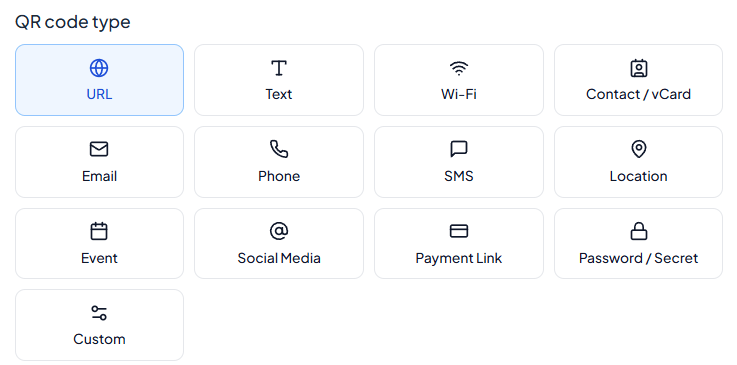
Choose QR code type
You can select any format you want to use for the QR code.
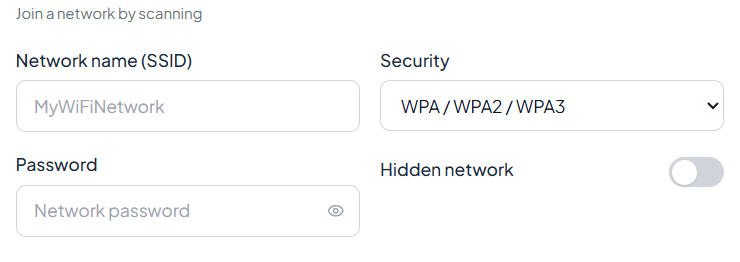
Provide necessary information
You need to fill all the required data field before you can proceed to next step.
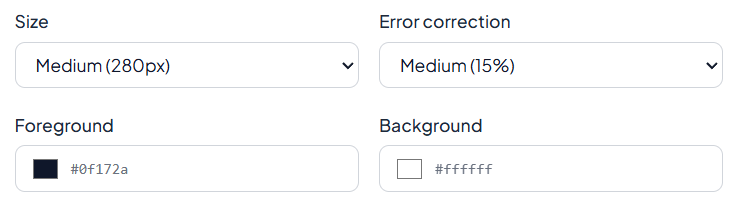
Design and correction
You can select the size, error correction level, background and foreground color as per your wish.
Preview and download
You can preview you QR code and download on any format you want (PNG or SVG).
Frequently asked questions
What does QR stands for?
It stands for Quick Response Code.
Can I use mobile phone to scan the code?
Yes, you can use mobile phone's scanner to scan them.
How is the code created?
The code is created on the basis of the value passed during the creation phase. It encodes the data inside the pattern.
Is QR code permanent?
Yes! every codes have different patterns which makes them unique. The data stored in QR is never changed and is permanent.
Who developed QR code?
DENSO WAVE developed the QR code in Japan in 1994. The technology was created by a team led by Masahiro Hara for tracking automobile parts.
What is the difference between a QR code and a barcode?
A traditional barcode stores information in a one-dimensional pattern, usually in horizontal lines. A QR code uses a two-dimensional pattern and can store more types and amounts of data.
Is a QR code safe to scan?
A QR code itself is simply a way of encoding data, but the content it leads to may not be trustworthy. Check the destination before entering passwords, payment information, or other sensitive data.
Last updated:
Share this tool
Know someone who'd find it useful? Send it their way.